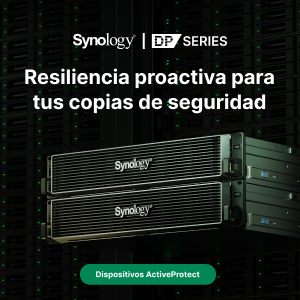
Synology NAS
Currently, millions of Synology NAS servers are helping businesses worldwide meet market challenges by creating a secure and cost-effective cloud. Organizations are supported by a wide range of solutions that enable employees to work remotely with documents stored in the office.
Synology offers a wide range of NAS servers that can be tailored to the specific needs of each business and user. Thanks to its DiskStation Manager operating system, employees can access files stored and synchronized in the cloud. Furthermore, all data can be automatically backed up using Synology's free backup solutions.
All of this can be done completely securely from any device and location by configuring a VPN server on the NAS, which allows access to files and devices connected to the local network only to selected users. Thanks to this, and the wide variety of applications integrated into Synology NAS devices, it's very easy to build an integrated infrastructure for networking, collaboration, security, and file storage, thus minimizing computing effort and the costs of using different platforms.
Synology's VPN Server option transforms any NAS into a virtual private network, providing employees with secure remote access to office data. This allows employees to work from anywhere at any time, facilitating seamless data sharing and flow between workspaces.
To learn more about VPN Server: https://www.synology.com/es-es/solution/cross-office_file_sharing
Collaboration and sharing
To make files and documents available anytime, anywhere, and to simplify collaboration and project sharing, Synology allows access to files in the cloud through Synology Drive and Synology Office, which allow simultaneous work on the same document, spreadsheet, or presentation.
Synology Drive offers expandable storage capacities up to hundreds of terabytes to save space on your computer's hard drive or external storage. Synchronization can be performed on demand or configured to run automatically. Furthermore, both individual files and folders can be copied in real time or on a schedule to prevent data loss in case of an incident. This allows employees in each office to upload or download files using SMB/AFP at LAN speeds.
To learn more about Synology Drive: https://www.synology.com/es-es/dsm/feature/drive
Synology Office lets you create documents, spreadsheets, and presentations with ease and maximum efficiency. Real-time synchronization and low costs facilitate increased productivity and ensure data security. Team members can collaborate simultaneously on the same document and interact through instant comments.
To learn more about Synology Office: https://www.synology.com/es-es/dsm/feature/office
Immediate and secure communications
Synology MailPlus minimizes challenges thanks to its simplicity and integration with various email providers such as Outlook, Thunderbird, and Apple Mail. Users can access MailPlus from different browsers or through the Android and iOS apps. Furthermore, to facilitate collaboration, MailPlus allows users to share their inbox with other people or team members to track the progress of projects and tasks. The email system also includes collaboration tools such as a calendar, a to-do list, and a chat feature to stay in touch with colleagues.
To learn more about MailPlus: https://www.synology.com/es-es/dsm/feature/mailplus
The Synology Chat plugin allows for instant conversations while working on documents, and the notification feature lets you set reminders. Chat centralizes all conversations, making it easy and efficient to manage a large number of sent or received messages and files. Administrators can flexibly enable end-to-end encryption, allowing users to set a passphrase for private conversations and channels. All encrypted messages are stored on the server and cannot be read by administrators.
To learn more about Synology Chat: https://www.synology.com/es-es/dsm/feature/chat