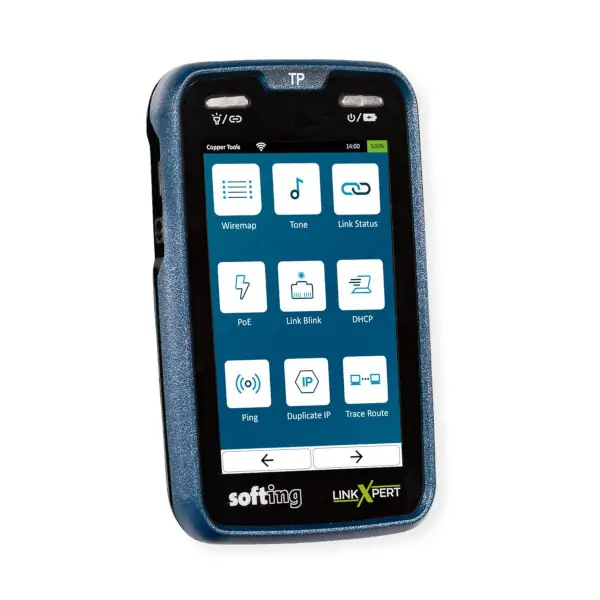
This device combines qualification, verification, and diagnostic functions into a single tool, allowing installers, systems integrators, and IT maintenance managers to evaluate the performance of their infrastructures and determine the Ethernet speeds they can support.
One of the key features of the LinkXpert SQ is its ability to perform Ethernet speed tests on copper links from 10 Mbps to 10 Gbps, including intermediate speeds of 100 Mbps, 1, 2.5, and 5 Gbps. Thanks to its 10 Gigabit technology, the device allows qualification tests to be completed in seconds, helping to reduce intervention times.
In the field of fiber optics, LinkXpert SQ supports link evaluation for 1, 10, 40, and 100 Gbit/s Ethernet applications, in both single-mode and multi-mode installations. It does this by using attenuation and length measurements with appropriate SFP transceivers, in accordance with the IEEE 802.3 standard.
Automated testing and immediate documentation.
To simplify technicians' tasks, LinkXpert SQ incorporates a configurable AUTOTEST function, allowing the creation of specific profiles for different installations and networks. This functionality facilitates the execution of standardized and reproducible test procedures, especially useful in projects that require testing numerous links or maintaining consistent criteria across different teams.
Each test automatically generates a PASS/FAIL evaluation and a PDF report available for immediate download. This allows professionals to quickly document results and have the necessary information for installation handovers, maintenance operations, and incident tracking. Furthermore, the device offers automatic operating modes for both copper and fiber optics, streamlining measurement setup and simplifying its use in the field.
Comprehensive diagnostics for Ethernet, Wi-Fi, and PoE++ networks.
Beyond cable qualification, LinkXpert SQ integrates a complete set of diagnostic tools to identify connectivity issues and verify network functionality. Key features include PoE++ Power over Ethernet testing up to 90W (Class 8), allowing for on-load verification of the infrastructure's power capacity. The device also incorporates IP diagnostic functions, such as DHCP, DNS, Ping, Traceroute, LLDP/CDP, and VLAN, which help pinpoint problems and verify essential communication parameters.
In copper installations, it has TDR technology to locate faults and measure lengths, as well as wiremap testing, detection of split pairs and other physical checks.
For wireless networks, LinkXpert SQ offers Wi-Fi analysis capabilities via an IEEE 802.11ac compliant USB adapter, including identification of access points, SSID, BSSID, channels, and encryption mechanisms.
In fiber optics, the equipment incorporates visual fault location functions using a red light source and supports connector inspection with Softing compatible microscopy.
LinkXpert SQ combines measurement capabilities with a portable form factor, designed for the needs of technicians working directly on-site. The device features a 5.25-inch TFT touchscreen, dimensions of 160 × 93 × 33 mm, and weighs approximately 400 grams, including the battery. Its rechargeable lithium-ion battery provides up to eight hours of runtime for wiring map testing, making it ideal for use during installation and maintenance work.
With LinkXpert SQ, Softing IT Networks expands the capabilities of its LinkXpert family, adding the qualification of higher-speed Ethernet links to the verification and diagnostic functions already present in the range. The solution addresses the needs of increasingly heterogeneous network environments, where different transmission technologies coexist and understanding the actual performance of installed links is crucial. Its ability to work with copper, fiber optics, and Wi-Fi, along with PoE++ testing and automated documentation, makes LinkXpert SQ an ideal tool for structured cabling installers, network integrators, IT departments, and communications infrastructure maintenance companies.