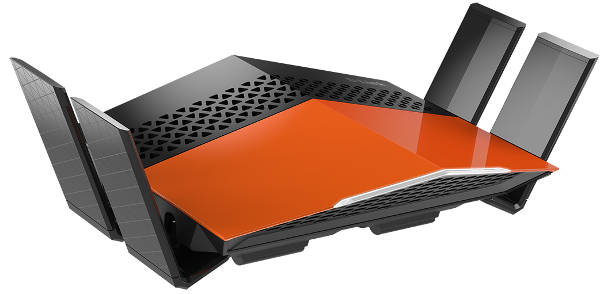
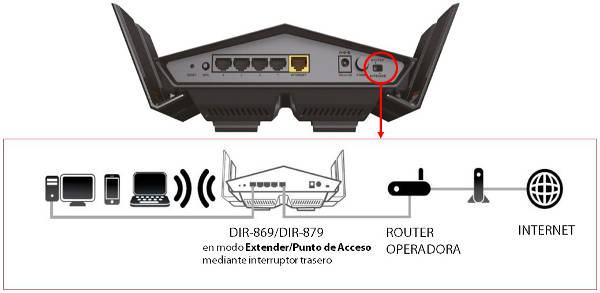
The user simply needs to connect the ISP's router to the EXO Router using an Ethernet LAN cable (from any LAN port on the ISP's router to the LAN port labeled "Internet" on the EXO Router) and select Access Point/Extender mode using the switch on the EXO Router. From that moment on, the EXO Router will create its own Wi-Fi network using the ISP's router's internet connection. It's then recommended to access the ISP's router settings (usually at http://192.168.0.1) and disable Wi-Fi (some models even have a button to disable it), although this step isn't strictly necessary.
 The main features of the D-Link Exo Router series are:
• Access Point - Native Access Point mode via switch, ideal for complementing your ISP's router to create a next-generation WiFi network with WiFi AC, smart coverage, etc.
• Dual-Band Connection - The latest 2.4/5GHz Dual-Band technology offers higher performance on the 5GHz band, which is less congested than the 2.4GHz band.
• Cutting-edge WiFi speeds:
DIR-879: 1900Mbps.
DIR-869: 1750Mbps.
• Amplifiers - Integrated high-power amplifiers provide greater coverage and allow more devices to connect simultaneously without performance loss.
• Web Interface Management - Features an intuitive and easy-to-use web interface optimized for mobile phones and tablets.
• Wired Connectivity - 4 Gigabit LAN ports for connecting devices without WiFi with maximum bandwidth.