Synology, one of the world's leading manufacturers of network and storage devices, has an extensive catalog of drives to cover all needs, from consumers to businesses of any size. The model we'll be reviewing in this article is the DiskStation DS923+, added to its 'Plus' series two years ago.
It's primarily aimed at small businesses and home users looking for a versatile and powerful network-attached storage (NAS) solution. With its improved performance, expanded features, and scalability, the DS923+ is a compelling option.
Of course, like any storage device, where it truly shines is in data management, and specifically in backup tasks for small and medium-sized businesses, which is where we focused our testing. We can already tell you that Synology is a huge help with its cost-effective and flexible hardware, one of the best operating systems on the market, and all sorts of free applications to unlock its full potential.
General characteristics
CPU: AMD Ryzen R1600 (dual-core, 2.6 GHz, up to 3.1 GHz boost) with hardware encryption engine (AES-NI)
Memory: 4 GB DDR4 ECC (expandable up to 32 GB)
Drive bays: 4 (supports 3.5"/2.5" hard drives and 2.5" SSDs) with a maximum total internal storage capacity of 72 TB (using 4 x 18 TB drives).
Expansion: DX517 for up to 9 bays
Connectivity: 2 x 1GbE LAN ports (upgradeable with an optional 10GbE network card)
Connection type: Ethernet, USB 3.2, eSATA
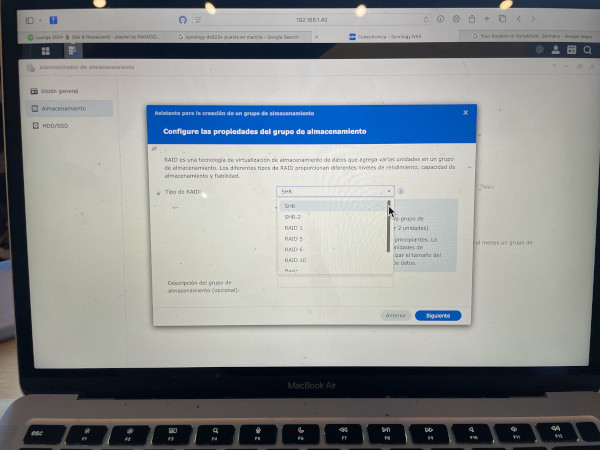
The NAS supports Btrfs and ext4 file systems, as well as Synology Hybrid RAID (SHR), Basic, JBOD, RAID 0, RAID 1, RAID 5, RAID 6, and RAID 10 configurations.
Storage: NVMe slots for SSD caching or additional storage pools
Software: DiskStation Manager (DSM) 7.2
Power supply: 100W power adapter
Design and Build Quality:
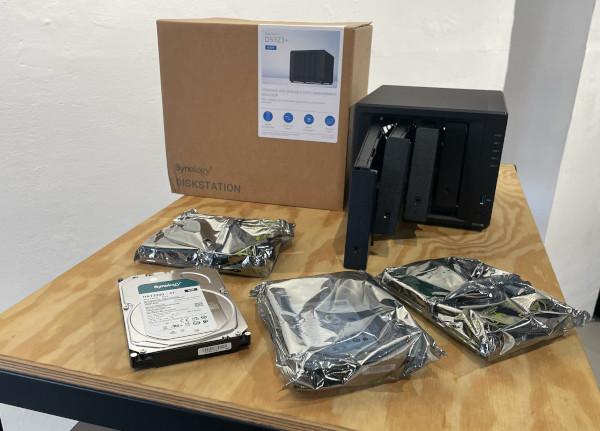
As is customary with Synology, the unit is delivered very well protected to ensure its integrity during transport. Along with the NAS, the manufacturer includes an external power adapter, power cable, two RJ-45 LAN cables, a key for physically locking the drive bays, screws, and a quick installation guide.
The DS923+ maintains Synology's signature minimalist design with a durable black polycarbonate chassis and four tool-less, lockable drive bays for added security.
Measuring 166 mm x 199 mm x 223 mm and weighing approximately 2.2 kg,
its compact form factor ensures it fits seamlessly into most environments. Front panel LED indicators and easily accessible drive bays simplify monitoring and maintenance.
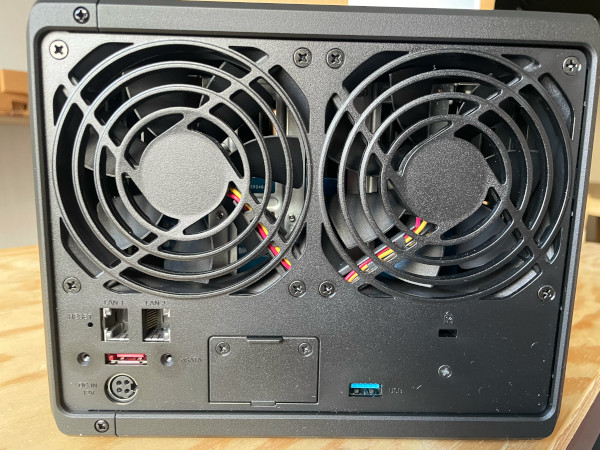
The rear panel features two 1 Gbps LAN ports; a USB 3.2 Gen 1 Type-A port; an eSATA port for connecting external storage devices; two 92 mm cooling fans; a reset button; and a network upgrade slot for installing an optional 10 Gbps RJ-45 network upgrade module.
The LAN ports support link aggregation for network failover and load balancing. At the bottom of the case are two M.2 NVMe solid-state drive slots for installing one or two SSDs for fast caching. They are not mandatory, but they work well to increase performance when accessing frequently used data, achieving data transfers of up to 592/562 MB/s.
Configuration and user experience
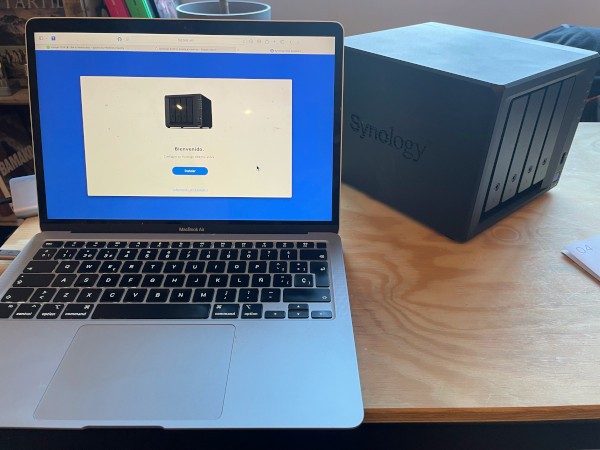
Setting up the DS923+ is simple. Once connected to the network, users can access Synology's DSM 7.2 interface via a web browser.
DSM's intuitive design ensures that both beginners and advanced users can navigate the system with ease. The setup wizard guides you through RAID configuration, user account creation, and application installation.
In the top left is a main menu icon that provides access to other pre-installed utilities, including Storage Manager, which lets you create volumes and configure RAID; Active Insight, which lets you send data to Synology to troubleshoot technical issues; Log Center, the place to view system logs and notifications; and Security Advisor, which scans for malware, checks your password strength, and keeps your software up to date.
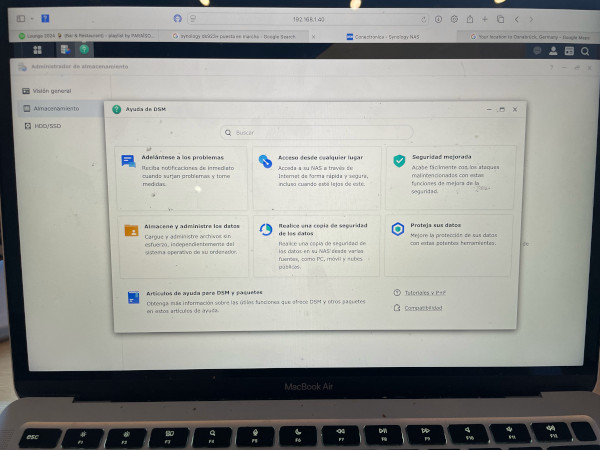
The Package Center provides access to a catalog of 101 Synology and third-party applications that allow you to use your NAS as a cloud server, media server, backup server, IP camera surveillance center, and much more. Tap the Control Panel icon to configure network and security settings, create user groups and set user privileges, and configure file services and file sharing. The File Station icon leads to a screen where you can create and organize folders and files, as well as enable file access via a web browser. Finally, tap the DSM Help icon to view tutorials and help articles.
 DSM software test
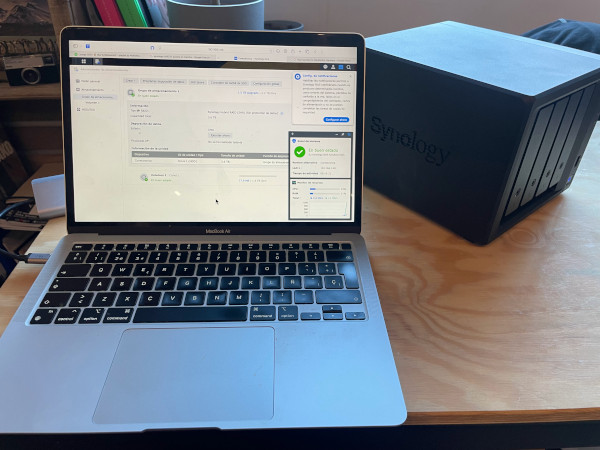
Like other Synology NAS devices (including the DiskStation DS1522+), the DS923+ is managed by the company's Windows-like DSM operating system, which uses desktop icons to make NAS setup quick and easy. Upon startup, the DSM desktop is populated with various icons, including those for Control Panel, File Station, Package Center, and DSM Help. As applications are downloaded, new icons are added to the desktop. Windows on the right side of the screen display system information such as total uptime, CPU and RAM usage, and the NAS's IP address.
This device uses DiskStation Manager (DSM) software version 7.2, which is the core functionality of the DS923+. During testing, the software proved to be exceptionally easy to use and packed with features tailored to various use cases:
File management: Synology Drive offers seamless file synchronization and sharing. Uploading and downloading files via the web interface was quick and intuitive, with robust search functionality that makes locating specific files easy.
Backup solutions: Active Backup Suite provided a complete backup framework for PCs and servers. The incremental backup process was efficient and saved storage space.
Multimedia streaming: Thanks to Synology Photos and Video Station, we were able to organize and stream high-resolution multimedia content without buffering. The AI-based photo categorization was a standout feature.
Virtualization: Virtual Machine Manager (VMM) allowed us to run virtual machines seamlessly. We successfully deployed a Windows 10 virtual machine and tested basic workloads, which the system handled without any performance degradation.
Surveillance: Surveillance Station made setting up the IP cameras easy. The live viewing and recording functions worked well, and the motion detection alerts functioned as expected.
Third-party applications: The DSM application ecosystem, including Docker, offers great flexibility to advanced users who want to run containerized applications.
Regular updates and security enhancements in DSM 7.2 further ensure reliability, making it a key strength of the DS923+.
Furthermore, it should be noted that Synology provides the software free of charge with any of its devices, even its budget-friendly two-bay entry-level versions.
 Backups for SMEs:
Backups are an indispensable part of planning any IT infrastructure. Their objective is critical: to safeguard valuable data. We'll review the applications available for this essential task and their capabilities:
Active Backup for Business. Synology's core application for this task is a centralized data protection solution capable of backing up personal computers, virtual machines, physical servers, and enterprise file servers.
The latest version of Active Backup uses a certificate that ensures a secure connection and data transfer between backup sources and the server. It also includes an agent that allows you to back up the entire NAS, including system configurations, installed packages, and data.
Active Backup for Microsoft 365 and Active Backup for Google Workspace are a welcome addition to leading online productivity suites. They provide a centralized interface, including automatic detection for backing up and managing local and shared drives, making it easy to perform continuous backups to minimize the risk of data loss.
Snapshot Replication. Businesses need data protection to prevent data loss due to accidental deletion, application crashes, hardware damage, or malware. This application handles the snapshot backup and recovery mechanism.
Cloud Sync. Another free application that allows you to connect your NAS to public cloud services (Google Drive, Dropbox, Baidu Cloud, and others), enabling automatic file and folder sharing and synchronization.
Hyper Backup is extremely helpful for protecting data, packages, and shared folder LUNs on your NAS. It provides multiple backup destinations and versions. Similarly, restoration is handled through a very user-friendly interface, just like the rest of Synology's software. This same application is also available in a Hyper Backup Vault variant, which allows another server to back up to your Synology NAS using Hyper Backup.
C2 Storage is one of the services offered by Synology among its cloud storage solutions. It allows you to back up data from Synology NAS devices to the cloud using Hyper Backup. This added feature keeps data even more secure and accessible thanks to this extra backup that adheres to the 3-2-1 backup rule.
Glacier Backup. A dedicated backup application for Amazon's service. It helps save space on your NAS and offers a contingency plan to prevent data loss.
USB Copy. The NAS also allows you to copy files from external drives to the NAS simply by connecting them to its USB port. For these copies, you don't need to open the DSM system web console. The application offers various file copying and organization strategies.
Synology Drive and Photos. Finally, two other client-side applications should be mentioned. Synology Drive allows you to back up documents and multimedia, with automatic backup tasks to protect important folders on a Windows or macOS PC. For mobile devices, Synology Photos lets you automatically back up photos and videos, organize them, and easily share them.
 Performance
Equipped with the AMD Ryzen R1600 processor, the DS923+ delivers excellent performance for multitasking and handling demanding workloads. During testing, the NAS handled multiple simultaneous tasks, such as video streaming, file transfers, and backups, without any issues.
File transfer
Using a RAID 5 configuration with four 14TB drives, the DS923+ delivered consistent performance:
Read speeds: ~245 MB/s
Write speeds: ~162 MB/s
During the test, we moved a 7.8 GB folder containing various video files, photos, music, and office documents between the NAS and an Apple laptop and recorded the read and write speeds.
With the optional upgrade to 10GbE, speeds increase significantly, accommodating demanding workflows such as 4K video editing directly from the NAS.
NVMe caching
NVMe slots improve performance for frequently accessed data. Enabling SSD caching results in noticeably faster response times for applications like Synology Photos and database access.
Scalability and upgrades
One of the most outstanding features of the DS923+ is its scalability. Users can add the DX517 expansion unit for additional storage (another 80 TB) or upgrade the network connectivity to 10 GbE for high-speed data transfers. The ability to expand the RAM up to 32 GB also makes this NAS future-proof for resource-intensive applications.
Applications and use cases
The DS923+ is aimed at a wide variety of users:
Small businesses: Reliable backups, file sharing, and collaboration tools.
Home users: Multimedia streaming, personal cloud storage, and smart home integration.
Content creators: Quick access to data for video editing and archiving.
IT Enthusiasts: Compatibility with virtualization and Docker containers.
Energy consumption and noise
Energy consumption is reasonable, averaging 32W during active use and 9W in hibernation mode. Noise levels remain low thanks to the efficient cooling system, making it suitable for home offices.
 Price and value
With a base price below €580, the DS923+ offers excellent value for money considering its features, performance, and expandability. Optional upgrades, such as additional RAM and a 10GbE NIC, increase the cost but significantly improve functionality.
Conclusion
The Synology DS923+ is an excellent NAS for users seeking a powerful, versatile, and expandable solution. Its combination of robust hardware, a feature-rich software ecosystem, and strong performance makes it a great choice for small businesses and advanced home users. While the price and optional upgrades may seem excessive for casual users, the DS923+ offers exceptional value for those who need its advanced capabilities. Furthermore, it's very easy to set up and manage.