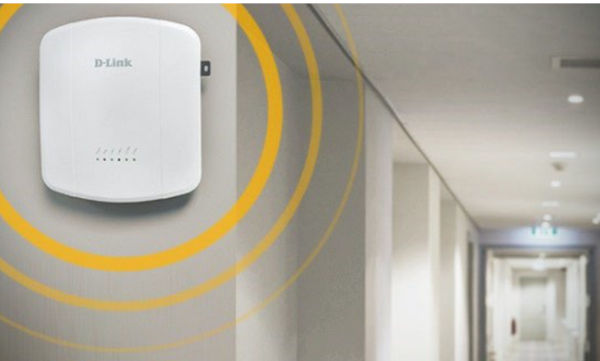
To allow us to move around the hotel without losing Wi-Fi coverage, our mobile device needs to be able to switch between access points (APs). To do this, it must detect when it receives a weak signal, disconnect, and connect to the next AP with a better signal. This is known as roaming in enterprise Wi-Fi networks (Wireless LAN) and is a transparent process for the user.
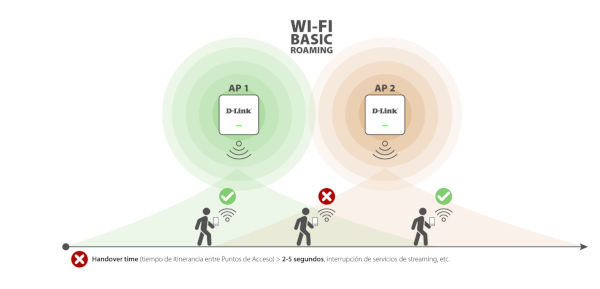 However, in basic roaming, the process of disconnecting from one access point (AP) to connect to the next also involves numerous intermediate steps, including network re-authentication. This increases the handover time (roaming time between APs) to between 2 and 5 seconds, which in applications like video conferencing will result in a poor experience if you are moving around. This same problem, when applied to environments where connectivity is critical, such as a factory with robots moving pallets or a warehouse with scanners or tablets that require continuous data, can make it impossible to perform work efficiently.
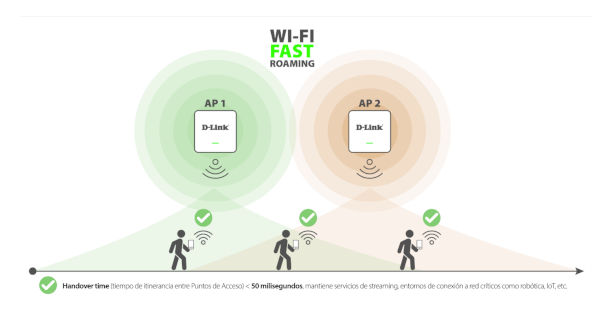 To minimize the impact of these outages, Fast Roaming technology was developed with the IEEE 802.11r standard, the first to integrate the Fast BSS Transition service. This reduced the roaming process between access points to four steps, resulting in a transition time of less than 50 milliseconds. This allows for the maintenance of VoIP and other data-intensive services without interruption. Therefore, Fast Roaming is an essential requirement in environments where uninterrupted wireless connectivity when the client device is in motion is critical. Subsequent evolutions of the standard, such as IEEE 802.11ke and IEEE 802.11v, have added improvements to the management of unified WLAN environments.
Is roaming or Fast Roaming the same as WiFi Mesh or mesh network?
Roaming or Fast Roaming in enterprise Wireless LANs should not be confused with WiFi Mesh technology, designed for home environments, where the network relies on multiple WiFi extenders that amplify the signal received from the router. In WiFi Mesh networks, connected devices automatically switch to the next extender (roaming), but without the speed achieved by Fast Roaming, and it's important to remember that these are technologies for very different environments. In fact, Fast Roaming is based on WiFi access points, which are always recommended in professional environments because they offer much higher performance, bandwidth, and stability than extenders. This is because they receive data via a wired LAN connection, without signal loss, while any extender depends on the wireless distance from the router or the previous extender, resulting in noticeable losses in signal strength and quality. Furthermore, professional access points are designed to be placed on ceilings or high walls, which also significantly improves wireless network quality compared to desktop extenders or those that plug into electrical outlets. In addition to all of this, professional access points are capable of managing environments with a high density of simultaneous users.
 What is needed to implement Fast Roaming?
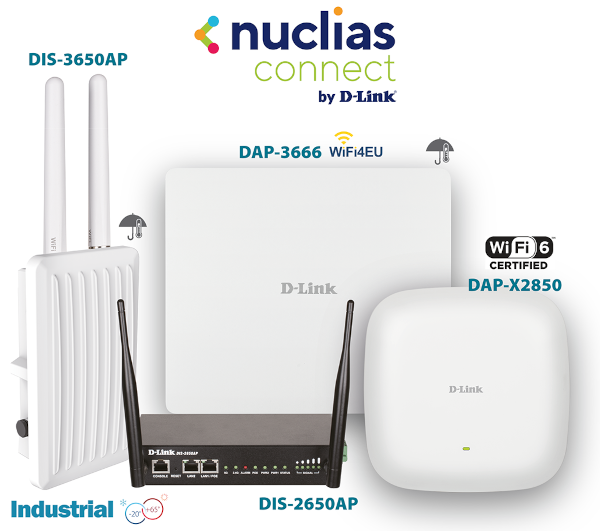
From a basic perspective, both the Wi-Fi network comprised of multiple access points and the client devices (mobile phones, tablets, laptops) connected to that network must support one of the Fast Roaming protocols standardized by the IEEE: 802.11r, 802.11v, or 802.11k. How is Fast Roaming enabled in unified wireless networks with the D-Link Nuclias Connect unified management platform? Within our range of D-Link Nuclias Connect enterprise access points (D-Link DAP), as well as our industrial-grade access points (D-Link DIS), Fast Roaming is supported by the access point itself, but it is disabled by default. Therefore, it must be enabled using our unified management platform, Nuclias Connect, either through its Windows/Linux software version (DNC-100) or the low-cost physical controller that comes pre-installed (DNH-100).
A real-world roaming demo between two access points with Fast Roaming enabled is also performed, measuring data connection values with a specific application for this type of technical testing.